Manual entry takes time
Re-entering invoices into the ERP system creates an additional administrative burden and increases the risk of errors.


Many organizations that use Business Central still spend a great deal of time processing, verifying, and posting supplier invoices. This leads to delays, error-prone processes, and limited visibility into liabilities and expenses.
With 4CEE Invoice, invoices are automatically recognized, validated, and integrated with Business Central. This creates a single, streamlined process from receipt to processing, allowing employees to focus on exceptions rather than routine tasks.
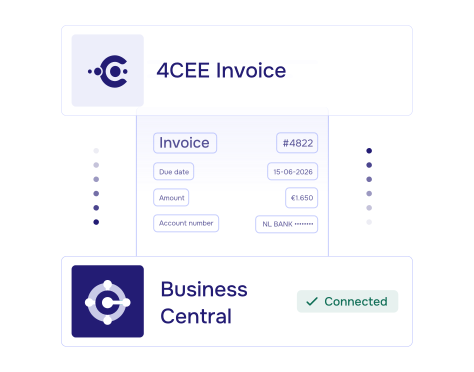
Re-entering invoices into the ERP system creates an additional administrative burden and increases the risk of errors.
Finance teams need real-time insight into the status of invoices, approvals, and payments.
When invoices need to be linked to purchase orders and receipts, the complexity increases rapidly.
Companies with multiple entities or accounting departments want to standardize processes without sacrificing flexibility.
Ready for e-invoicing and international compliance
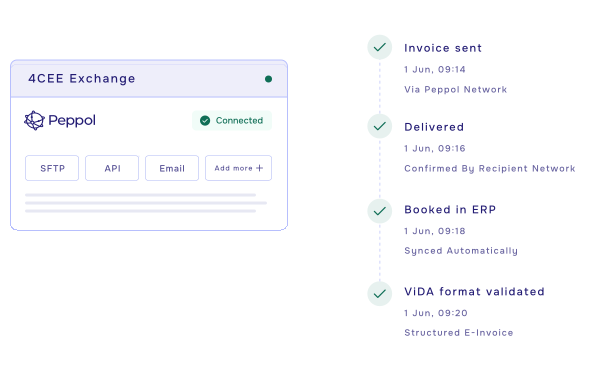
When combined with 4CEE Exchange, you have a future-proof platform for sending and receiving electronic invoices via networks such as Peppol. This makes it easier to comply with local and international e-invoicing requirements, while your financial processes remain centrally managed within Microsoft Dynamics 365 Business Central.
The combination of 4CEE Invoice, Microsoft Dynamics 365 Business Central, and 4CEE Exchange not only helps organizations automate their accounts payable process but also ensures they are prepared for future compliance requirements in Europe and beyond.
.png)
Benefits of 4CEE Exchange
Support for e-invoicing via Peppol and other international networks
Prepared for ViDA and future compliance requirements
Centralized management of incoming and outgoing electronic invoices
Support for international growth and cross-border trade
A single integrated platform for invoice automation, e-invoicing, and compliance
This not only helps you get more value out of Business Central, but also lays a solid foundation for a future-proof and internationally compliant financial organization.
Greater control over invoice processing within Business Central
Finance teams can process more transactions with the same capacity, while improving the quality and reliability of financial data.